Building Your Public Website
NotJustCars includes a website builder so you can launch a professional online presence without a developer.
Why build a website?
A professional website makes you look established, helps clients trust you before they book, and gets you found on Google. When someone searches "car detailer near me", businesses with a real website consistently rank above those without. Your NotJustCars website is search-engine optimised from day one — and it's included free with your account.
Step 1: Open the Website Builder
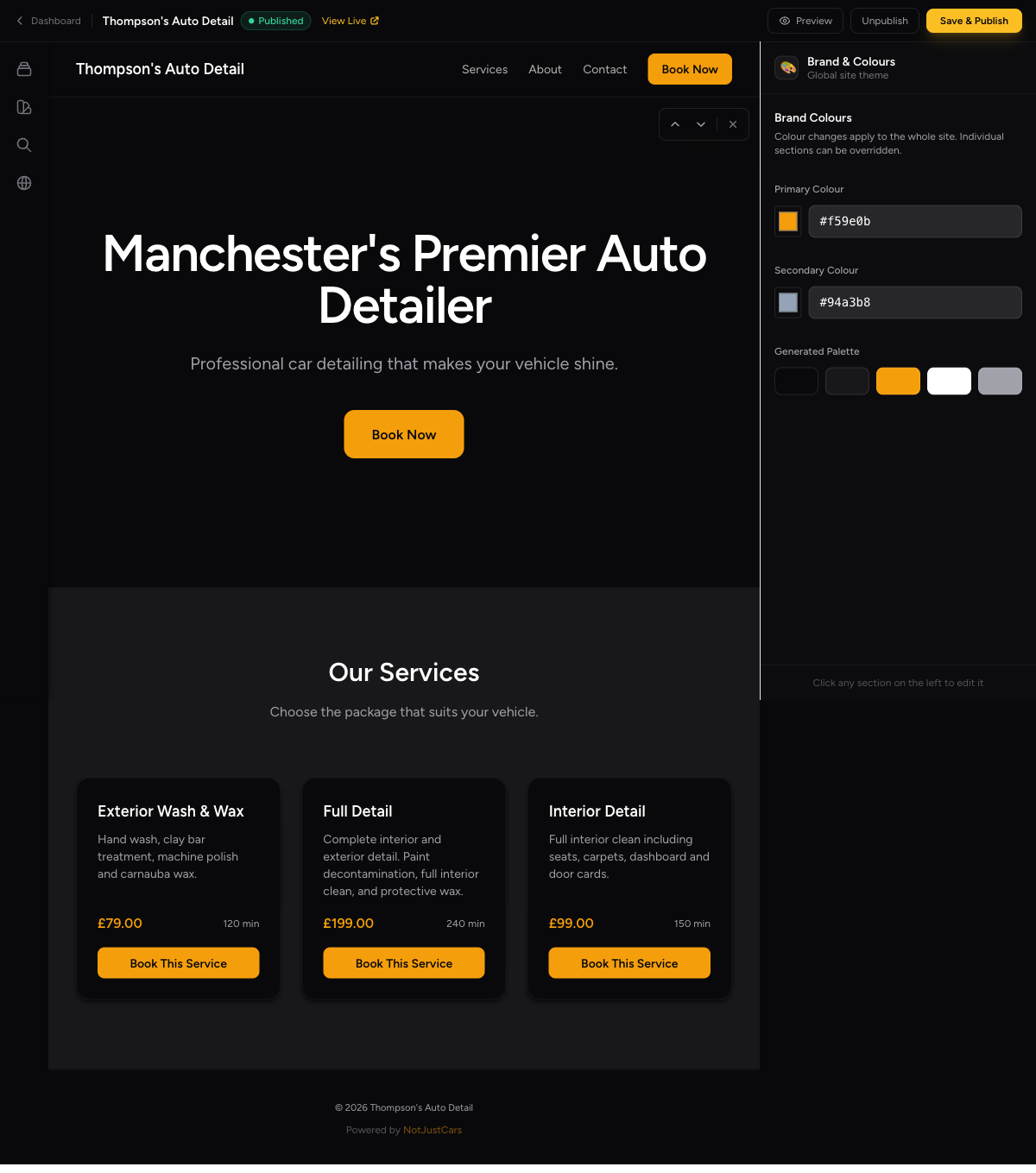
Click My Website in the navigation. You'll see the builder with an editor panel on the left and a live preview on the right.
Step 2: Add Sections
Click Add Section to add content blocks to your page. Available sections:
- •Hero — a bold banner at the top with your headline and a Book Now button
- •Services — automatically pulls in your services list with prices
- •Features — highlights your key selling points, e.g. "Mobile service", "Fully insured"
- •Gallery — a photo grid to showcase your work
- •Contact — your contact details and business address
Step 3: Edit Section Content
Click on any section in the left panel to expand its editor. Update the text, images, and settings. The preview on the right updates as you type.
Step 4: Choose a Colour Scheme
In the website settings, pick a colour palette that matches your brand. The preview updates immediately so you can see how it looks before publishing.
Step 5: Preview Your Site
Click Preview to open a full-page view of your website. This shows exactly what clients will see when they visit.
Step 6: Publish
When you're happy, click Publish. Your website goes live immediately at your NotJustCars URL. Share this URL anywhere you want to promote your business.
Using a Custom Domain (Optional)
In the website settings, click Add Custom Domain to use your own domain, e.g. www.thompsonsdetailing.co.uk. You'll need to add a DNS record with your domain provider — instructions are shown on screen. NotJustCars handles the SSL certificate automatically.